

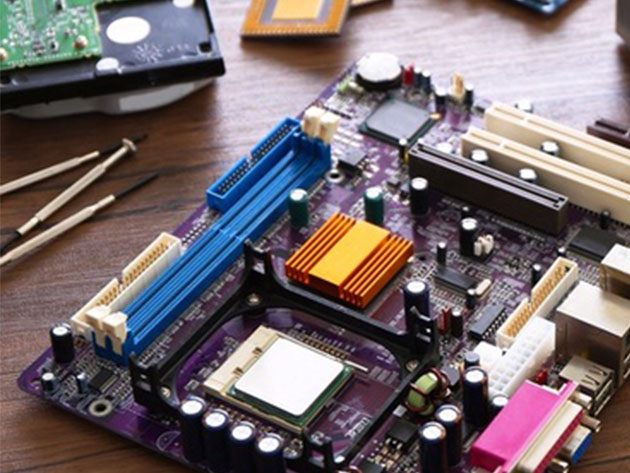
How to Build a Computer from Scratch: Complete Blueprint
2 Hours
Deal Price$12.00
Suggested Price
$120.00
You save 90%
How to Build a Computer from Scratch: Complete Blueprint2 Reviews
$12.00$120.0090% OFF
51 Lessons (2h)
- What To Expect and What You Will Take AwayWelcome0:23Benefits of Building Your Own Computer vs. Buying One Pre-built2:27
- Assessing Your Needs: Start planning for your buildWhat Will You Demand From Your Computer?Consider and Set Your Budget0:56
- Functions of the Machine: How a Computer WorksLearning About ComponentsWalk-through of a Computer's Inner Hardware2:27The Motherboard1:11The CPU (Central Processing Unit)1:56What Is RAM?0:54The Power Supply1:08Learn About Storage DevicesWhat is a Dedicated Graphics Card?1:45Optical Drives; Do You Need One?Optimizing Airflow with Case Fans1:04Hardware review
- How to Choose Your ComponentsBest Sources for Buying Computer Hardware1:53Consider Your Motherboard2:33AMD vs IntelChoosing your Ideal Motherboard12:36Choosing the Appropriate CPU5:52Finding the Perfect Case3:25Getting the RAM You Need4:44Choosing the Right Storage Device4:26Acquiring a Suitable PSU3:31
- Optional Components to ConsiderFinding the Right Graphics Card for your NeedsShopping for Your Perfect Graphics Card3:55Aftermarket CPU cooling devices7:27Extra Case Fans1:48
- Computer Accessories: The functions of I/O devicesInput/Output Devices1:23Finding the Right MonitorChoosing your Keyboard/MouseAcquiring All Tools Needed for Your Build
- Time To Start The Build: Install all hardware necessary to run a computerQuick Run-Through before Commencing your Build2:44Prepare the Case for Installation1:27Installing the Motherboard3:26Installing the CPU & Heatsink w/ Fan4:51Note: Installing Aftermarket CPU Cooling DeviceInstalling RAM Sticks2:19Installing your Storage Device(s)2:59Installing Case Fans2:18Installing Power Supply3:22Installing Graphics Card3:18
- Computer Wiring: Wire everything in the case like an expertWiring Overview2:04Wiring the PSU5:25Wiring Case buttons (Power button, USB ports, Audio ports.. etc)9:29Connecting the SATA Cable(s) and Heatsink3:42Check & Re-Check!Test your build2:52Did Something Go Wrong?
- Installing your Operating System: Install an OS Onto a Bare ComputerCongrats! Whats Next?BIOS and Installing the OSCongratulations!
How to Build a Computer from Scratch: Complete Blueprint2 Reviews
$12.00$120.0090% OFF
DescriptionInstructorImportant DetailsReviewsRelated Products
Create Your Own Custom-Built PC
MT
Matt ThomasMatt Thomas is a tech fanatic with a passion for computer hardware and an extensive background in the professional IT field.
Naturally, he's loved tinkering with computers his whole life, building and upgrading various systems along the way. He has acquired a wide variety of skills as a result of his years of experience working with hardware. From setting up extreme performance rigs to cabling new and old infrastructure, he's done it all.
Nothing makes him happier than passing on his expertise onto those out there willing to learn and expand their skill sets. Knowledge should be applicable, understandable, and most importantly, useful. If you take any of his courses, you'll see how detailed he gets in breaking down every idea. You won't miss a thing!
Terms
- Unredeemed licenses can be returned for store credit within 30 days of purchase. Once your license is redeemed, all sales are final.
2 Reviews
3.5/ 5
All reviews are from verified purchasers collected after purchase.
KS
Kiran Sasidharan
Verified Buyer
Good.New learning experience.New input.Might benefit with new to this area.Learning helps to advance in general.
May 10, 2020
JT
John Thomas
Verified Buyer
Very clear instructions!
Feb 28, 2020
Your Cart
Your cart is empty. Continue Shopping!
Processing order...